Results for "video"
186 matching results across tools, Boxes, comparisons, alternatives, and categories.
Tools(177)
View all 177 tools
Browse and buy stock footage, video effects, and After Effects templates from 11 million+ assets starting at $1
Download free stock video footage, music, sound effects, and templates for video editing projects with no strings attached

Record AI-powered video messages, share anywhere, and supercharge team productivity with async video communication.
All-in-one design, photo, and video tool to make social posts, flyers, logos, and videos with generative AI and brand controls
Discover VEED.IO, the all-in-one online video editor with powerful tools for video creation, editing, and AI enhancements. Explore features, pricing, ...

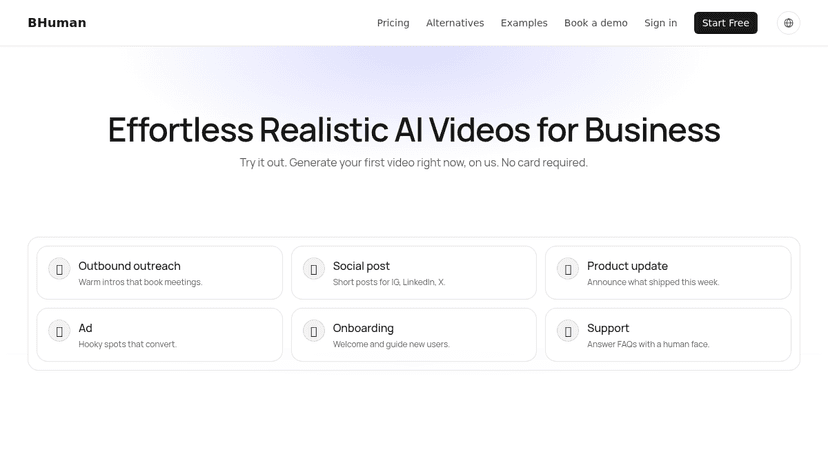
Create personalized videos at scale with BHuman.ai. Utilize AI for face and voice cloning to enhance customer engagement. Perfect for sales, marketing...
Tool Comparisons(3)
Software Alternatives(1)
Categories(5)
AI & Intelligent Tools
The AI listings here range from creative tools for images and video to assistants and platforms that run business agents. An image generator, a conversational agent and an AI gateway sit at different points in a workflow. The topic links help you separate those needs before comparing individual products. Start with one repeatable task and a sample input. For creative work, evaluate the output and how easily you can revise it. For agents, examine connected tools, approval steps and run history. For infrastructure, consider monitoring and model access. Compare the cost of completing your task, including retries and model usage, rather than judging the tool only by its entry price.
Creative Assets
Creative asset libraries provide material for websites, campaigns, videos and presentations. This collection includes broad subscriptions such as Envato Elements, image libraries such as iStock and Getty Images, footage sources including Pexels and Coverr, and marketplaces such as AudioJungle and VideoHive. Some supply finished media; others provide templates that need editing software. Search for a real project brief before paying. Check resolution, aspect ratio, visual consistency, file formats and compatibility with your editing tools. For templates, inspect required software versions, fonts and plugins so an attractive preview does not conceal additional work. Review the terms for the specific asset and intended use, including client delivery, attribution and any restrictions. Editorial and commercial use can require different permissions. Keep the asset source and license record with the project, and compare subscriptions against individual purchases based on how often you need new material.
Design & Creative
This broad category gathers design and creative tools that support visual project work, ranging from generative AI studios to icon editors. The supplied sample includes AI tools that turn text and images into images, video, and 3D content, design systems like Material Design, font managers, and CSS gradient libraries. Some products are reference resources, such as website galleries, while others are working utilities for building, editing, or downloading assets. Children split the category into 3D modeling, asset marketplaces, icon libraries, prototyping, and related niches. Because the field spans many kinds of software, decide first which task you need covered: generating fresh content, finding ready-made assets, or laying out an interface. Check each listing for supported platforms and pricing models, since the free, freemium, and paid tiers vary by product. Readers can examine a product's tagline and description for what it makes or supplies, then confirm fit against their own workflow. The sample contains products without platform or pricing details, so verify any unknown fields before relying on a tool.
Media Tools
This collection is primarily a resource shelf for footage, music and sound, rather than a list of full video editors. Pexels appears among the stock visual sources, while Musicbed, AudioJungle, Epidemic Sound and Free Music Archive offer different routes to finding audio. Use the topic links to separate footage, templates, music and sound effects. Choose assets against the project: duration, mood, resolution and whether alternative edits are needed. Preview audio under the actual voiceover instead of judging it alone. Before downloading or purchasing, check the provider's terms for your intended publishing channels and client work. Keep the asset source and relevant usage information with your project files.
Social Media Scheduling
Social media scheduling tools help prepare posts ahead of time and publish them on a planned calendar. Listings include Buffer and Later, creator-focused automation such as Hypefury, and tools such as RecurPost for recurring content workflows. Some schedulers also include curation, approvals and analytics, so the right choice depends on how you prepare and reuse content. Check the exact formats you publish: a tool may handle feed posts, carousels, stories and short videos differently on each network. Confirm whether publishing is automatic or requires a mobile reminder, and compare queue limits, time-zone controls and failed-post notifications. Test a week of real posts before moving your entire calendar. If clients approve content, inspect the approval process and account connection flow. For recurring queues, check how easy it is to pause outdated posts and prevent the same content from appearing too frequently.