Results for "AI"
879+ matching results across tools, Boxes, comparisons, alternatives, and categories.
Counts marked + are lower bounds. Search checks the first 1,000 ranked tools before pricing filters and up to 100 matches per other result type. Refine your query to narrow the results.
Tools(659)
View all 659 tools
Run technical SEO audits, track keyword rankings and Core Web Vitals, monitor AI search visibility, and share white-label reports in one AI-assisted w...
AI-ME is a powerful AI-powered creative assistant that can help you with a variety of tasks AI-ME is an online platform that provides developers with ...
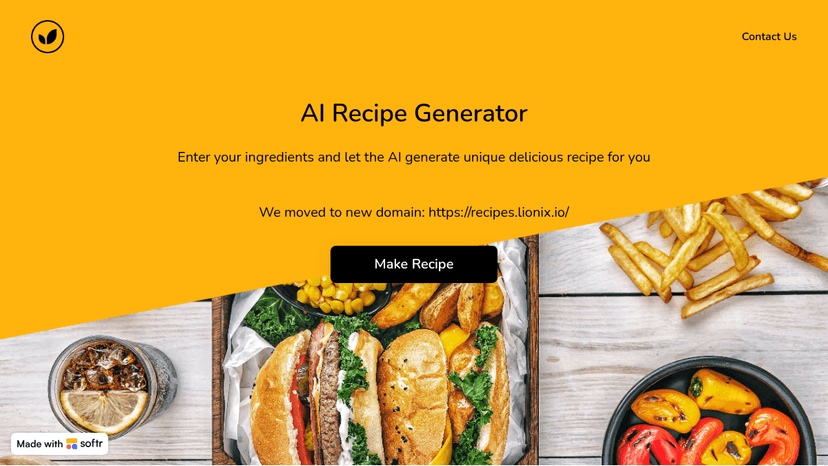
Explore AI Recipes, the ultimate tool for generating personalized meal plans and recipes using AI. Simplify your cooking and discover new dishes effor...
Generate original songs from a prompt, your own lyrics, a hummed melody, or a Vocal hook, then export beats, DJ mixes, and AI music videos ready for c...

AI Anime Generator is a powerful online tool that allows you to create your own anime characters with just a few clicks.
Build AI-powered workflows, custom business apps, and deploy agents at scale — no code required. Connect teams, data, and tools in one workspace.
Tool Comparisons(100+)
View all 100+ comparisonsSoftware Alternatives(36)
View all 36 alternativesAlternatives to 1PhotoAI
Turn a single selfie into 2000+ AI photo styles — get professional headshots, avatars, and Ghibli art in 10 seconds
Alternatives to AI Girl
Alternatives to AI-ME
Alternatives to ArtGuru.ai
Enhance photos to 8K, restore old memories, clarify videos and PDFs, and remove backgrounds — all in one click with professional-grade AI.
Alternatives to Chamaileon
Build sophisticated email campaigns 90% faster with a no-code drag-and-drop builder — scale production, ensure brand consistency, and boost marketing ROI.
Alternatives to Copy.ai
Replace disconnected AI copilots and point solutions with one AI-native GTM platform that automates sales, marketing, and operations at scale
Categories(84)
View all 84 categoriesAccessibility
Accessibility work combines design choices, implementation checks and evaluation of real interactions. These listings span automated audits through Lighthouse and Axe DevTools, contrast tools, color-vision simulation with Color Oracle, and practical guidance from The A11Y Project and Inclusive Components. Each addresses a different part of making interfaces usable by more people. Choose resources around the task at hand: checking a palette, designing a component or investigating a live page. Contrast measurements and visual simulations can highlight specific issues, but they do not evaluate every interaction or represent every person’s experience. Pair tool findings with hands-on checks of keyboard navigation, focus, zoom and assistive-technology use. Review the complete path through important tasks, including errors and dynamic states. Keep accessible patterns in shared components so fixes carry into future screens, and retest after changes rather than relying on one audit score.
Accessibility Testing
Accessibility testing tools help surface problems during design, development and maintenance. The collection includes Axe DevTools and Pa11y for automated checks, Stark for design and product workflows, Polypane for browser-based inspection, and dedicated contrast tools. Palette checks and page audits cover different scopes, so they work best as complementary parts of a testing process. Compare the states a tool can inspect, whether it works on authenticated pages and how reports identify affected elements. For automated workflows, check how results fit your build process, how new failures are distinguished from existing ones and who receives the findings. Test key journeys manually as well as running scans: menus, forms, dialogs and validation errors need interaction checks. Record steps to reproduce each issue and retest the fix. Passing an automated scan does not establish that a whole product is accessible; it provides evidence for the checks that scan performs.
AI Agents
AI agent platforms combine a model with knowledge, instructions and actions it can take. The listings include conversational and support-focused systems such as Botpress and Voiceflow, alongside platforms such as Relevance AI and MindStudio for building task-oriented agents. Decide whether your agent mainly answers questions, processes information or acts in connected applications. Evaluate it with a question it should answer, one it should escalate and a task that requires an action. Check how knowledge is updated, which permissions the agent receives, and how a person can review or interrupt a run. Look for useful execution traces and evaluation tools so problems can be investigated after a successful demo.
AI App Builder
Good AI app builders help turn a rough product idea into a working prototype without forcing every decision through a full development cycle. Tools like Lovable, Bolt, and Replit Agent can generate interfaces, connect basic logic, and revise features through plain-language prompts. A founder might describe a client portal, add authentication and a simple database, then test the workflow with users before hiring an engineering team. These tools are strongest when the scope is clear and the app follows familiar patterns. They become less reliable around complex permissions, unusual data models, performance constraints, and production security. Generated code still needs inspection, and polished screens can hide weak architecture. The real value is faster validation, not pretending software development has disappeared. A useful app builder gets you to an honest test sooner; a bad one just produces an impressive demo that collapses under real use.
AI App Builders
AI app builders turn a written brief into an application draft, but the result depends on the platform and the project. This page lists web and mobile approaches, including Totalum, Dyad, Rork and Emergent. Decide whether you need a web application, a native mobile experience or a prototype before comparing them. Test something more demanding than a homepage: a user signing in, creating a record, returning later and editing it. Check how you revise the interface, inspect the code, manage data and deploy updates. Compare model usage and hosting alongside the builder's subscription. The important question is how much control you retain when the first version needs a change.
AI Assistants
AI assistants range from conversational tools for writing and research to services that work across email, calendars and team chat. ChatGPT and Google Gemini illustrate the general assistant role; Town and Lindy focus on connected administrative work. The listings also include mobile AI workspaces and team-oriented assistants, so their capabilities and setup requirements differ. Start with a repeatable task and the information needed to complete it. Compare file support, source visibility, integrations, memory controls and usage limits. Check whether a product only prepares a draft or can also take actions in connected applications, and how you review those actions. Test output against a known example before relying on it. Confirm how connected data is stored, which permissions are required and whether access can be revoked. Mobile or open-source clients may need separate model access, so check the complete setup rather than only the app price.