About Twee
What is Twee?
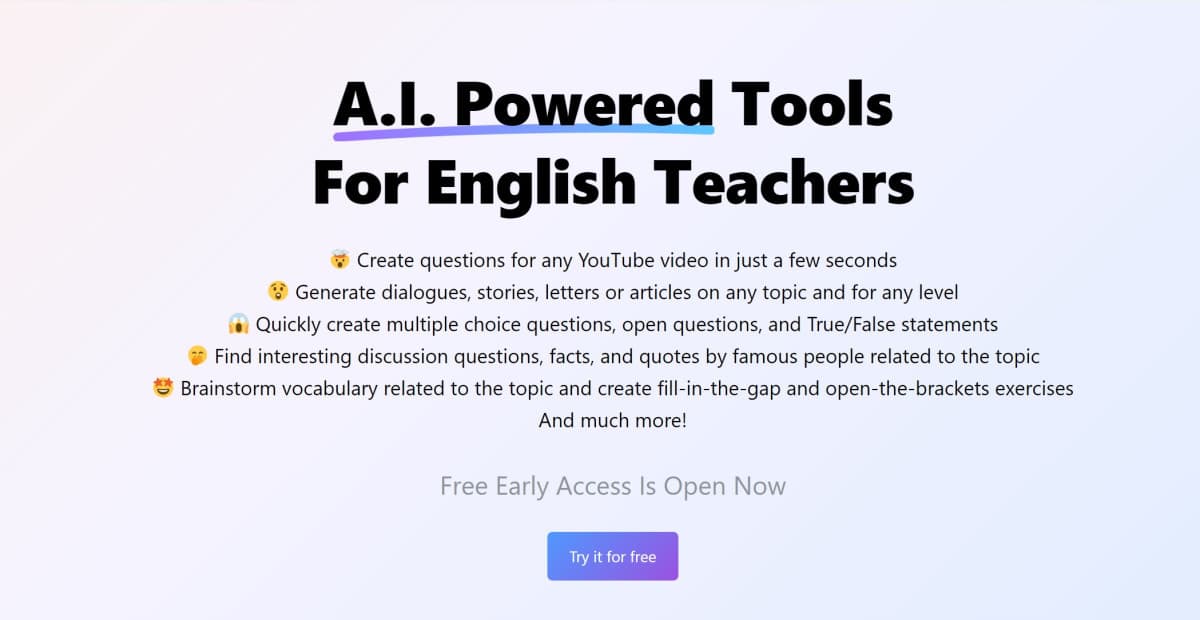
Twee is an AI-driven platform designed to help English teachers create comprehensive lesson plans and educational content. It uses AI to generate reading, writing, vocabulary, listening, speaking, and grammar exercises, tailored to any topic and student level, thus significantly reducing the time spent on lesson preparation.
How Twee Works
Using Twee involves:
- Sign Up: Visit the Twee website and create an account.
- Input Topic: Enter the topic or upload materials such as YouTube videos.
- Generate Content: Use AI to create a variety of exercises and lesson materials.
- Customize and Download: Review and adjust the generated content, then download it for classroom use.
What Problem Twee Solves
Twee addresses the challenge of time-consuming lesson planning by automating the creation of tailored educational materials. This allows teachers to focus more on teaching and less on preparation.
Twee Features
- Reading Exercises: Create texts, open questions, ABCD questions, and more.
- Writing Exercises: Generate essay topics, creative writing prompts, and link words into sentences.
- Vocabulary Exercises: Create fill-in-the-gap exercises, word definition matching, and essential vocabulary lists.
- Listening Exercises: Generate video transcripts, YouTube summaries, and related questions.
- Speaking Exercises: Create dialogues, discussion questions, and find interesting facts and quotes.
- Grammar Exercises: Generate fill-in-the-gap tasks, scrambled words, and verb exercises.
Pricing
Twee offers:
- Free Plan: Basic features with limited access.
- Premium Plan: $15 per month, includes unlimited access to advanced features and content generation.
Pros and Cons
Pros:
- Significantly reduces lesson planning time.
- Generates a wide variety of educational materials.
- User-friendly and easy to navigate.
- Customizable content for different student levels.
Cons:
- Limited features in the free plan.
- Requires internet access for full functionality.
Common Questions
How can I start using Twee?
Visit the Twee website, sign up, and start generating lesson materials by entering your topic or uploading content.
Is there a free version of Twee?
Yes, Twee offers a free plan with basic features. For more advanced options, you can subscribe to the premium plan.
What types of exercises can Twee generate?
Twee can create a wide range of exercises, including reading, writing, vocabulary, listening, speaking, and grammar tasks.
How does Twee ensure the quality of generated content?
Twee uses advanced AI algorithms to generate high-quality educational content tailored to the specified topic and student level.
Can Twee be used for professional teaching purposes?
Yes, Twee is designed for professional use by English teachers, providing a comprehensive set of tools for lesson planning and content creation.
Conclusion
Twee is a powerful AI tool for English teachers, offering a comprehensive solution for creating lesson plans and educational content. With its user-friendly interface and advanced features, it significantly reduces the time and effort required for lesson preparation. Whether you are teaching in a classroom or online, Twee provides the resources needed to enhance your teaching experience.
Twee Pros & Cons
- Over 40 AI tools across all CEFR levels A1–C2
- Free trial tier available without a credit card
- Automatic AI grading of student responses
- Export or share lessons as PDF, Word, Google Forms, or Docs
- Creates content in 10 languages
- Free trial limited to 5 tool runs
- Basic plan capped at 100 tool runs per month
- Media tools capped at 100 runs per month on Pro and Schools plans
Key Features
CEFR-Aligned Content
Generates texts, dialogues, gap-fill exercises, and questions matched to CEFR levels A1–C2 in 10 languages.
40+ Teaching Tools
Offers more than 40 tools covering reading, writing, speaking, vocabulary, and grammar skills.
AI Response Grading
Twee Pro+Automatically assesses multiple-choice, written, and gap-fill student answers and reports actionable insights.
Flexible Sharing
Exports lessons as PDF or Word, or shares them interactively via Google Forms, Docs, or direct links.
Classroom Management
Plans lessons, tracks progress, organizes assignments, and manages student accounts and classes in one place.
Audio from Text
All plansCreates audio from text using monthly credits, available on every plan.
Media to Text
Twee Pro+Converts audio and video into text and scans text from screenshots or webpages.
ESL Lesson Library
All plansProvides free ESL lesson plans and grammar worksheets for learners at all CEFR levels.
Twee Pricing
View full pricing →- 5 trial runs for any tool except Pro Tools
- Create audio from text with 500 credits
- Free resources from the ESL Lesson and Worksheet Library
- Unlimited interactive sharing
- Classroom management
- 100 runs per month for all Twee tools except Pro
- Create audio from text with 2,500 credits per month
- Free resources from the ESL Lesson and Worksheet Library
- Unlimited interactive sharing
- Classroom management
- Access to all Pro Tools
- Unlimited runs for Basic Tools
- 100 runs per month for Media Tools
- Create audio from text with 5,000 credits per month
- Check student responses with AI
- Export to PDF / Google Forms / Google Docs
- Multiple teachers
- Classroom management
- Access to all Pro Tools
- Unlimited runs for Basic Tools
- Create audio from text with 7,000 credits per month
- Personal support
| Feature | Twee Trial Free | Twee Basic $6.50/mo | Twee Pro $10.50/mo | Twee Schools Custom |
|---|---|---|---|---|
| AI Response Grading | ||||
| Audio from Text | ||||
| Media to Text | ||||
| ESL Lesson Library |
Pricing extracted from the product website and may change. Check the source for current details.
Frequently asked questions about Twee
How does Twee know different proficiency levels?
A team of dedicated teachers trains Twee's AI to align with the Common European Framework of Reference for Languages (CEFR). Their feedback helps the AI keep improving at matching the right content to students' proficiency levels.
Who creates the content when I request it?
Twee's own AI creates the content. It has been refined over the last year using feedback from teachers so it understands classroom needs and delivers materials tailored to each class.
How is Twee different from ChatGPT?
Twee is specifically designed for teachers, while ChatGPT is a general-purpose AI. Twee's tools are tailored to meet teaching standards, support CEFR alignment, and save time by generating ready-to-use lesson materials.
Can I use Twee together with my students?
Yes. Twee supports both teachers and students. Teachers can create assignments and share them directly with students, who can complete the activities through their own accounts or anonymously.
Is Twee free?
Twee offers a free plan with optional paid upgrades. See the pricing section for what's included in each tier.
How much does Twee cost?
Twee offers the following plans: Twee Trial, Twee Basic, Twee Pro, Twee Schools. See the pricing section for what's included in each tier and any per-seat or usage-based costs.