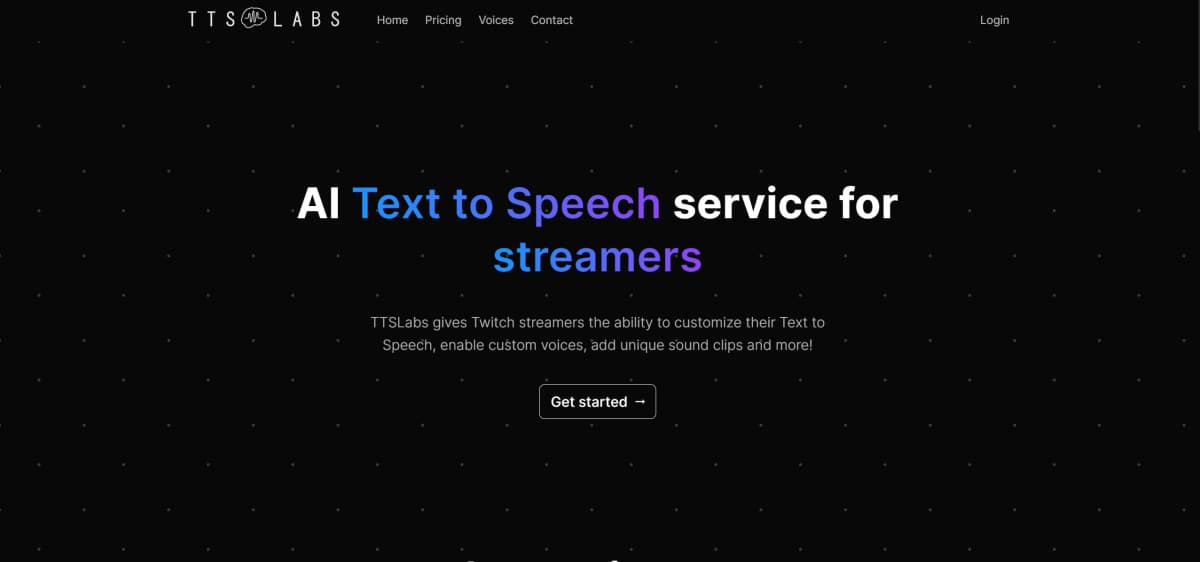
About TTSLabs
What is TTSLabs?
TTSLabs is an advanced AI-powered text-to-speech (TTS) tool designed specifically for Twitch streamers. It allows streamers to customize their TTS experience with unique voices, engaging sound clips, and seamless integration with popular streaming platforms like Streamlabs and StreamElements.
How TTSLabs Works
Using TTSLabs involves a straightforward process:
- Sign Up: Visit the TTSLabs website and create an account.
- Setup: Integrate TTSLabs with your streaming platform, configure your TTS settings, and customize your voices and sound clips.
- Engage Viewers: Use TTSLabs to enhance viewer interaction during streams with real-time voice changes and sound effects.
What Problem TTSLabs Solves
TTSLabs addresses the need for interactive and engaging viewer experiences during Twitch streams. By providing customizable TTS options, it allows streamers to create unique and entertaining content that keeps audiences engaged and entertained.
TTSLabs Features
- Customizable Voices: Personalize TTS messages with a variety of voices and tones.
- Engaging Sound Clips: Incorporate sound effects and clips into TTS donations to entertain viewers.
- Seamless Integration: Easily integrates with Twitch, Streamlabs, and StreamElements.
- User-Friendly Desktop App: Manage TTS messages, sound clips, and donation settings through an intuitive desktop application.
- Profanity Management: Control the content of TTS messages with customizable profanity filters.
Pricing
TTSLabs offers flexible pricing models:
- Free Tier: Basic access with limited features.
- Subscription Plans: Start at $6 per month, providing more extensive customization and additional features.
Pros and Cons
Pros:
- Personalized TTS experience with custom voices.
- Engaging and entertaining sound clips.
- Seamless integration with major streaming platforms.
- User-friendly interface for easy management.
Cons:
- Some voices may sound less natural.
- Slight learning curve for beginners.
Common Questions
How can I start using TTSLabs?
Visit the TTSLabs website, sign up, and integrate it with your streaming platform. Customize your TTS settings and start using it during your streams.
Is there a free version of TTSLabs?
Yes, TTSLabs offers a free tier with basic features. For more advanced options, you can opt for a subscription plan.
What platforms does TTSLabs support?
TTSLabs integrates with Twitch, Streamlabs, and StreamElements, making it easy to use with popular streaming setups.
Can I customize the voices in TTSLabs?
Yes, TTSLabs allows you to customize TTS voices, including tone, pace, and style, to match your stream's unique personality.
Conclusion
TTSLabs is a powerful tool for Twitch streamers looking to enhance viewer interaction and engagement. With its customizable TTS options, engaging sound clips, and seamless platform integration, it offers a robust solution for creating entertaining and interactive streams.
TTSLabs Pros & Cons
- Free plan with no credit card required
- About 3-second rendering for 20 seconds of speech
- 80+ custom voices plus official, community, and classic voices
- Advanced profanity filtering on every request
- Integrates with Twitch, StreamElements, and Streamlabs
- Free plan caps AI voice alerts at 400 per month
- Free plan limits you to 10 enabled voices and 25 sound clips
- Priority processing and early voice access require Pro
Key Features
Fast rendering
About twenty seconds of speech renders in roughly three seconds and plays in order.
Profanity filtering
All plansAdvanced profanity filtering checks every request before playback, and the queue can be skipped, replayed, or cleared.
Voice library
All plansOfficial, community, classic, and custom AI voices are available, with 80+ custom voices to choose from.
Sound clips
All plansAudience members drop clips into a message and they play inline with the speech.
Rewards and tips
All plansSpeech triggers from channel point rewards, tips, or donations.
Live queue
Every pending alert plays in order, with skip and replay available on any of them.
Audience guide
A shareable page lists your enabled voices, clips, and minimums for viewers.
Channel integration
Sign in with Twitch and link StreamElements or Streamlabs so channel events and tips flow in.
TTSLabs Pricing
View full pricing →- Access to 80+ custom voices
- 400 AI voice alerts per month
- 10 enabled voices
- 25 enabled sound clips
- Unlimited classic voice alerts
- Tips and reward redemptions
- Advanced profanity filters
- Access to 80+ custom voices
- Unlimited AI voice alerts
- Unlimited enabled voices
- Unlimited enabled sound clips
- Priority processing
- Priority customer support
- Early access to new voices
- Extended milestone alert support
| Feature | Free Free | Pro $25/mo |
|---|---|---|
| Profanity filtering | ||
| Voice library | ||
| Sound clips | ||
| Rewards and tips |
Pricing extracted from the product website and may change. Check the source for current details.
Frequently asked questions about TTSLabs
Do I need a credit card for Free?
No. Free has no card on file and no trial clock. You can upgrade to Pro whenever the monthly limits get in the way.
What counts as an AI voice alert?
An AI voice alert is a message read by one of the 80+ AI voices. Free includes 400 per month, and Pro removes the limit so you get unlimited AI voice alerts.
What does TTSLabs connect to?
You sign in with Twitch, then link StreamElements or Streamlabs if you use them. Every channel event, and tips from the apps you add, flows straight into the stream.
Can my audience see what is enabled?
Yes. TTSLabs provides a shareable audience guide page that lists your enabled voices, sound clips, and minimums so viewers know what they can trigger.
How fast is it?
Twenty seconds of speech renders in about three seconds and plays in order, so replies are ready before the moment stops being funny.
Is TTSLabs free?
TTSLabs offers a free plan with optional paid upgrades. See the pricing section for what's included in each tier.
How TTSLabs compares
T TTSLabsThis | ||||
|---|---|---|---|---|
| Starting price | Free | — | — | — |
| Pricing model | Freemium | — | — | — |
| Platforms | Web | — | — | — |
| Top features |
| — | — | — |
| Rating | — | — | — | — |