About Mobbin
Overview
Mobbin is a UI and UX design inspiration library containing over 597,500 screens and 137,800 flows sourced from more than 1,727 real-world iOS and web apps. It helps product designers and design teams cut research time by making it fast to find how actual apps handle specific UI patterns, user journeys, and copywriting decisions.
Unlike manually collecting screenshots or browsing generic mood boards, Mobbin organises content into fully searchable screens, UI elements, and multi-step flows — with new content added weekly.
Key Benefits
- Access a library of 597,500 screens and 137,800 flows sourced from 1,727+ real apps.
- Find design patterns in seconds using advanced filtering across screens, UI elements, and flows.
- Experience complete user journeys with transitions, micro-interactions, and animations via video flows.
- Copy designs directly into Figma using the native Figma plugin, skipping the download step.
- Save favourite designs and upload your own screenshots into personal collections.
- Leave contextual comments on saved screens so you retain research notes for later reference.
How It Works
You search or browse by category — such as Onboarding, Checkout, or Paywall — to surface matching screens and flows from real apps. You then explore individual screens, step through flows in Prototype mode using interactive hotspots, or watch video recordings complete with animations. From any screen you copy it straight into Figma via the plugin, download it, or save it to a personal collection with a comment.
Use Cases
- Product designers at tech companies referencing real-world patterns like Login, Subscription, or Checkout flows before starting wireframes.
- UX researchers at companies such as Visa or Figma auditing how competitors handle specific interaction patterns across mobile and web.
- Design leads at agencies like Endless using the library as a shared inspiration resource when designing mobile apps for clients.
- Independent designers and educators like those at DesignCode studying deep user flows and UI patterns to improve their understanding of UX best practices.
- Design students capturing and organising real-world UI references without filling personal photo galleries with random screenshots.
Why Choose This Product
Mobbin suits product designers and design teams who need fast, structured access to real-world UI and UX references rather than curated or stylised mockups. It is trusted by designers at companies including Figma, Visa, and Compound Labs. The page does not explicitly mention a free tier beyond the join-for-free call to action, so tier-specific limitations are not confirmed from the provided content.
Mobbin Pros & Cons
- Library of 597,500 screens and 137,800 flows from 1,727+ real apps
- Native Figma plugin for direct copy-paste into design files
- Video flows with transitions and micro-interactions from real apps
- Advanced filtering by screen type, UI element, flow, and text content
- Free tier available with a join-for-free entry point
Key Features
Screens Library
Browse and search 597,500 real-world app screens organised by UI category such as Login, Checkout, Onboarding, and Paywall.
Video Flows
Watch recorded user journeys as videos that include transitions, micro-interactions, and animations exactly as they appear in real apps.
Prototype Mode
Step through flows one screen at a time using interactive hotspots to walk through a user journey at your own pace.
Figma Plugin
Copy any screen or design directly into a Figma file using the native Mobbin Figma plugin without leaving your design tool.
Collections
Save favourite screens and upload your own screenshots into personal collections for organised reference during design projects.
Screen Comments
Leave notes on saved screens at the point of saving so you retain research context for future reference.
Advanced Filtering
Filter across screens, UI elements, flows, and text in screenshots to pinpoint specific design patterns across 1,727+ apps.
iOS and Web Coverage
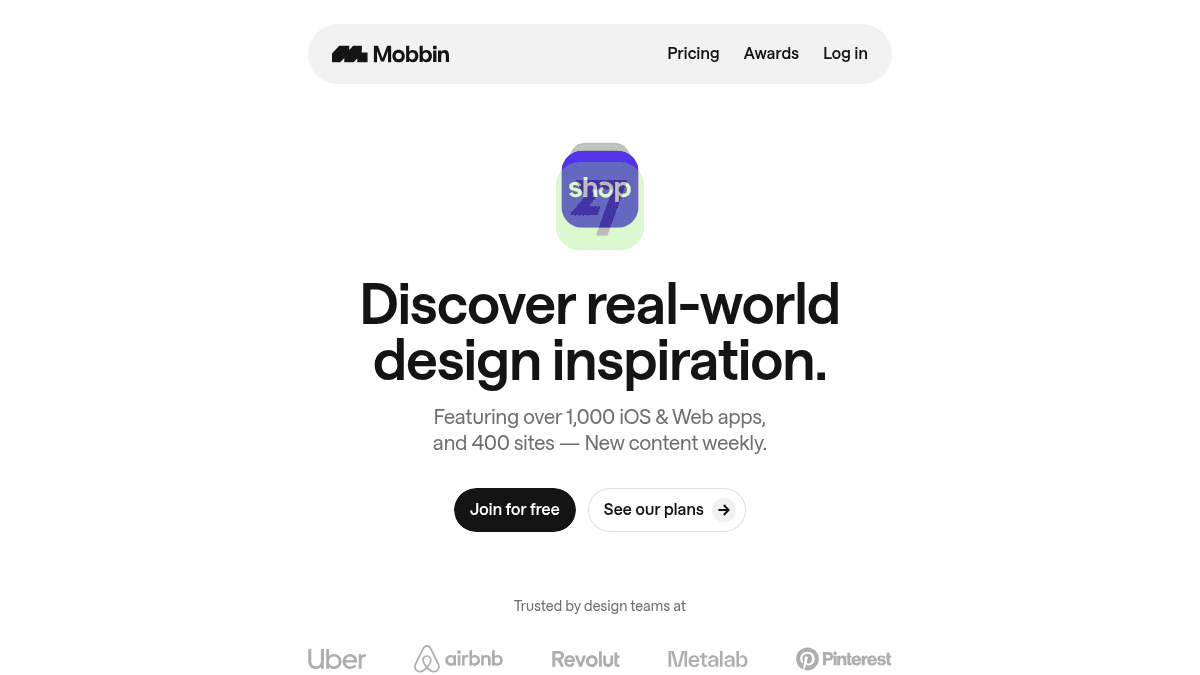
The library covers over 1,000 iOS and web apps plus 400 sites, with new content added every week.
Mobbin Pricing
View full pricing →Pricing extracted from the product website and may change. Check the source for current details.
Frequently asked questions about Mobbin
What types of content does Mobbin include?
Mobbin includes over 597,500 screens, 137,800 flows, and content from more than 1,727 iOS and web apps plus 400 sites. Content covers screens, UI elements, full user flows, and videos with transitions and micro-interactions, with new content added weekly.
Can I use Mobbin with Figma?
Yes. Mobbin has a native Figma plugin that lets you copy designs directly into Figma without downloading files first. You can also download screens individually if you prefer.
Can I save my own screenshots to Mobbin?
Yes. You can upload your own screenshots into Mobbin collections alongside screens you save from the library, and you can leave comments on saved items to retain research context.
Is Mobbin free to join?
Mobbin has a free join option visible on the homepage. It also lists paid plans, making it a freemium product. The specific features included in the free tier versus paid plans are not detailed in the provided page content.
Is Mobbin free?
Mobbin offers a free plan with optional paid upgrades. See the pricing section for what's included in each tier.
What platforms does Mobbin support?
Mobbin is available on: Web.
How Mobbin compares
MobbinThis | ||||
|---|---|---|---|---|
| Starting price | — | — | 2.95 | $12/mo |
| Pricing model | Freemium | Freemium | unknown | Paid |
| Platforms | Web | Web | Web | Web |
| Top features |
|
|
|
|
| Rating | — | — | — | — |

